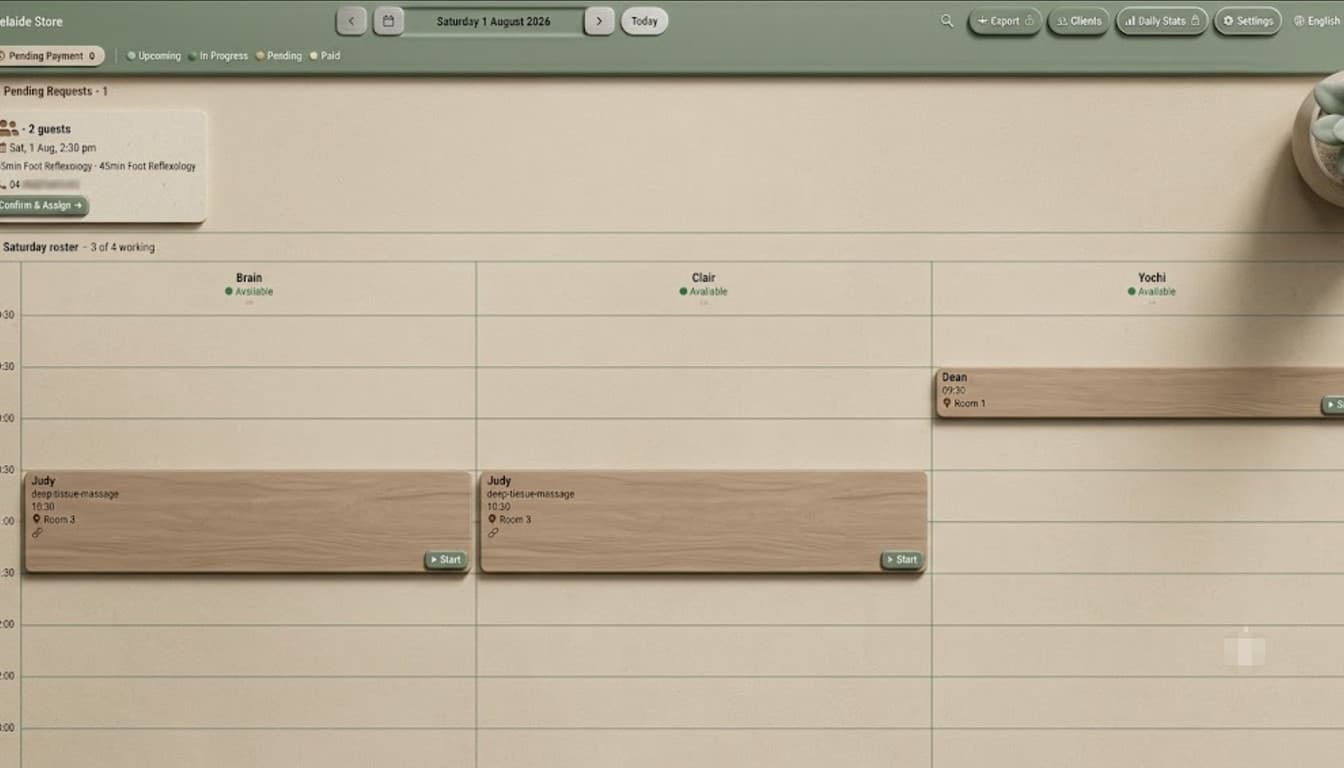
The schedule board: see who is free and which room is open
The real problem with a paper roster is not that it is slow to write. It is that there is only one copy. The front desk edits it, you read it, you never see the edit — and the same slot gets two clients.
The whole day on one board
The board lays out every booking for the day on a timeline: time across, therapists down. Who is free, when, and for how long is something you see rather than something you work out.
Rooms and therapists are separate constraints
For a lot of shops the bottleneck is not staff, it is rooms — three therapists on shift but only two rooms, so the third client waits. The board treats rooms as their own dimension, so "someone is free but nowhere to put them" is visible up front instead of after you have promised the slot.
Clashes are caught as they happen
- Double-booking the same therapist is flagged immediately, not when the client walks in.
- Overlapping bookings in the same room are blocked the same way.
- Drag a booking to move it, and the clash check runs again on drop.
Why it is landscape-first
The board is built for the iPad on the front desk — landscape, touch, added to the home screen and used like a native app. A timeline needs horizontal room, and a full day does not fit a portrait phone, so on small screens we scroll by therapist instead of squashing the grid.