Last-minute cancellations: keeping the relationship and the hour
An empty 60-minute slot is not one missed payment — it is an hour that could have gone to somebody else and now goes to nobody. A cancellation policy only needs to say three things: how far ahead a change costs nothing, what happens past that point, and how exceptions work. But what actually reduces cancellations was never the fee; it is a reminder the day before, plus somewhere clients can move the booking themselves. Here is that flow from their side — when someone cancels, the hour they free up is immediately bookable.
01. Get your booking link
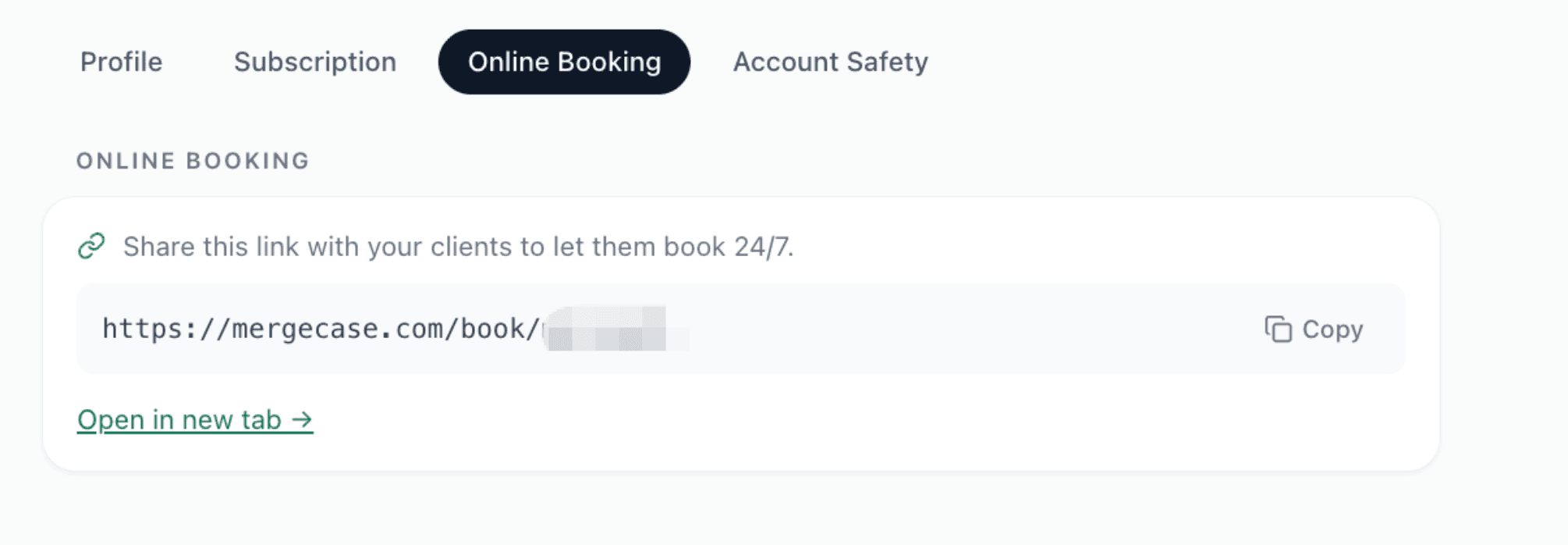
Settings → Online Booking holds an address that belongs to your shop, with a copy button beside it. Put it on your Google Business profile, your Instagram bio, or a QR code by the door. Once a client has that link, moving an appointment no longer means reaching you first.
02. The client picks guests and service
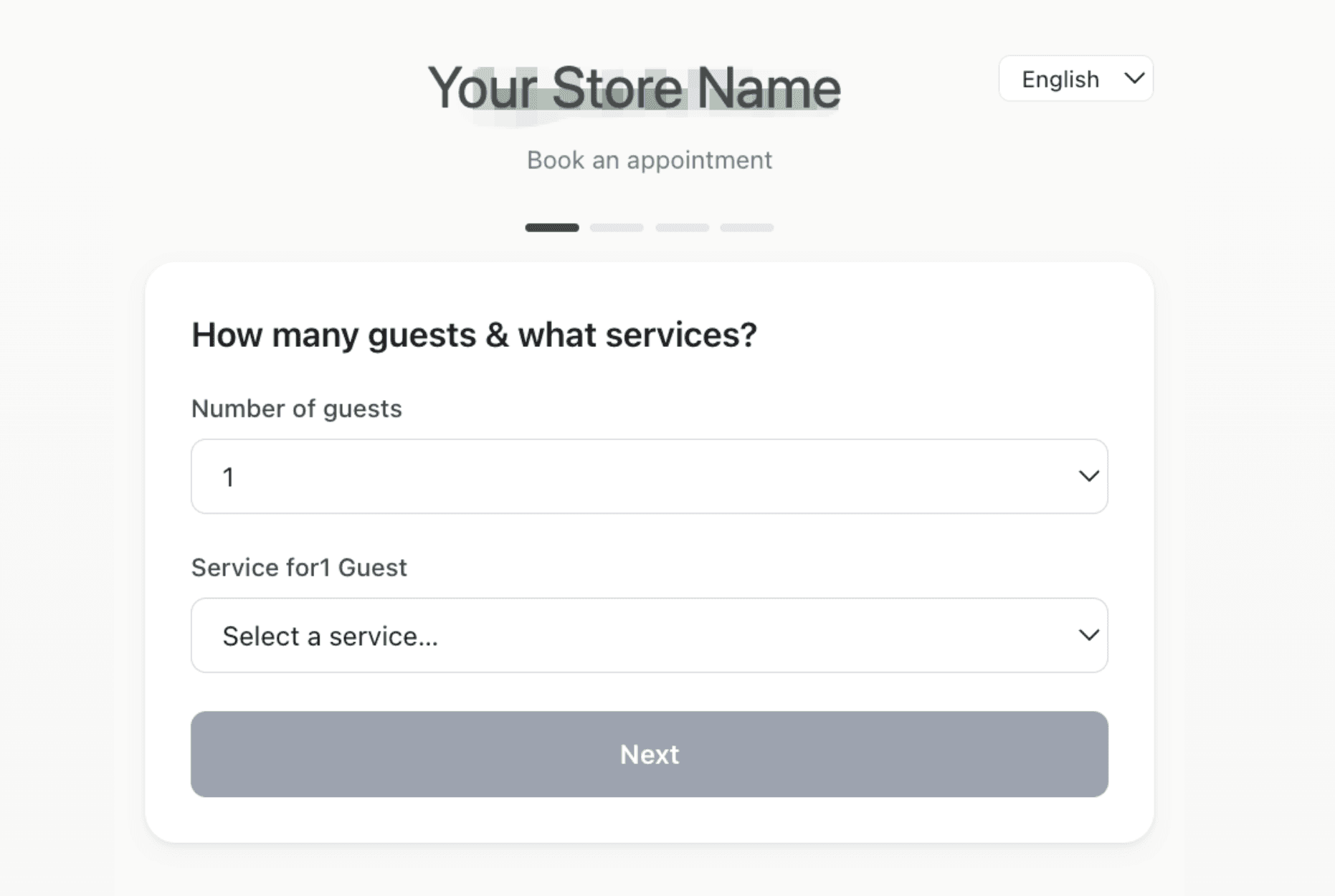
The first step they see is party size and treatment. The list, durations and prices match exactly what you set under Settings, so you never read the price list down the phone — and never quote the wrong number.
03. A freed slot is instantly bookable
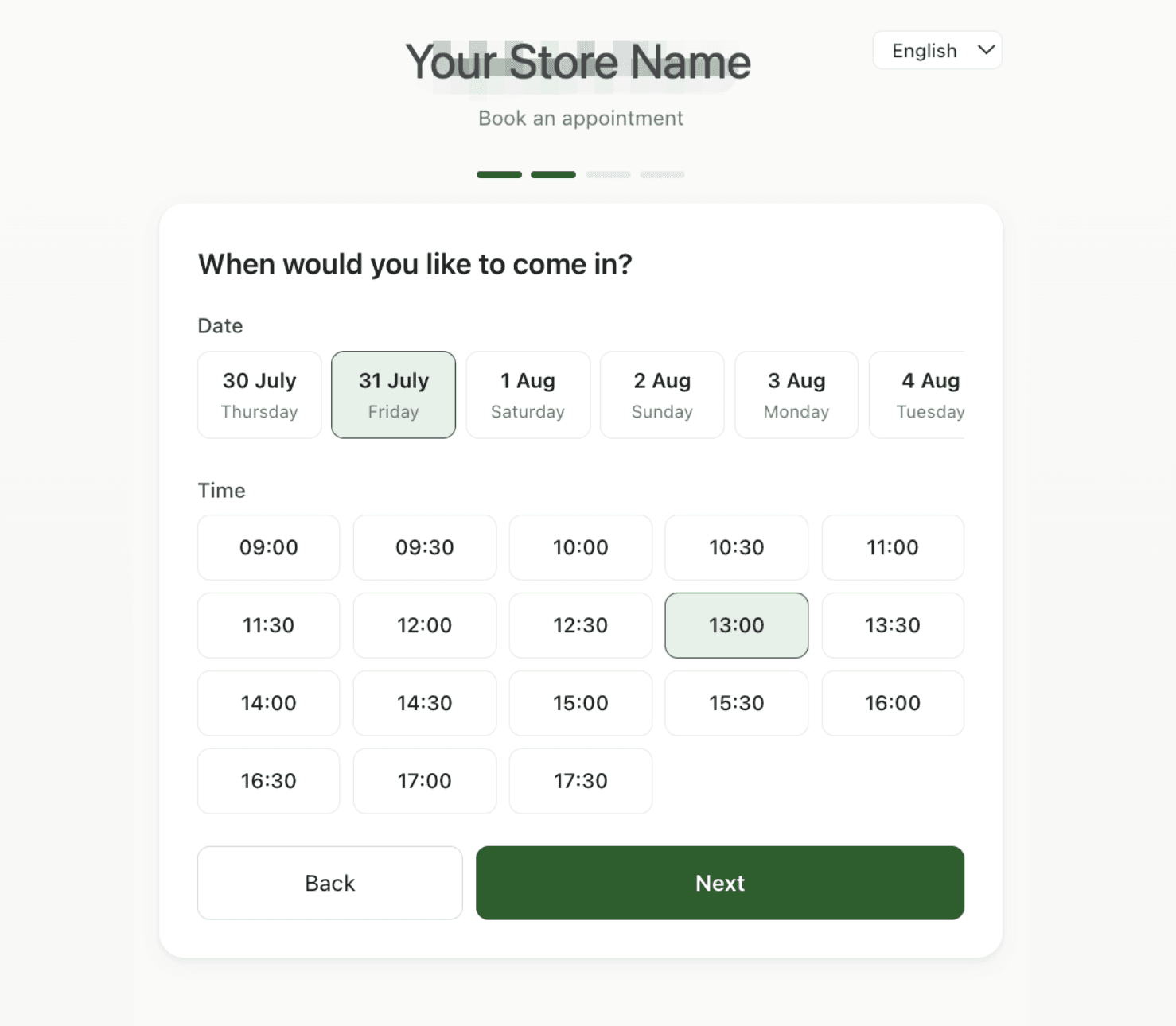
Step two is date and time, showing only slots inside your opening hours that are still free. This is the step that matters: when someone cancels, the 13:00 they just freed appears here immediately for anyone to take — no ringing around.
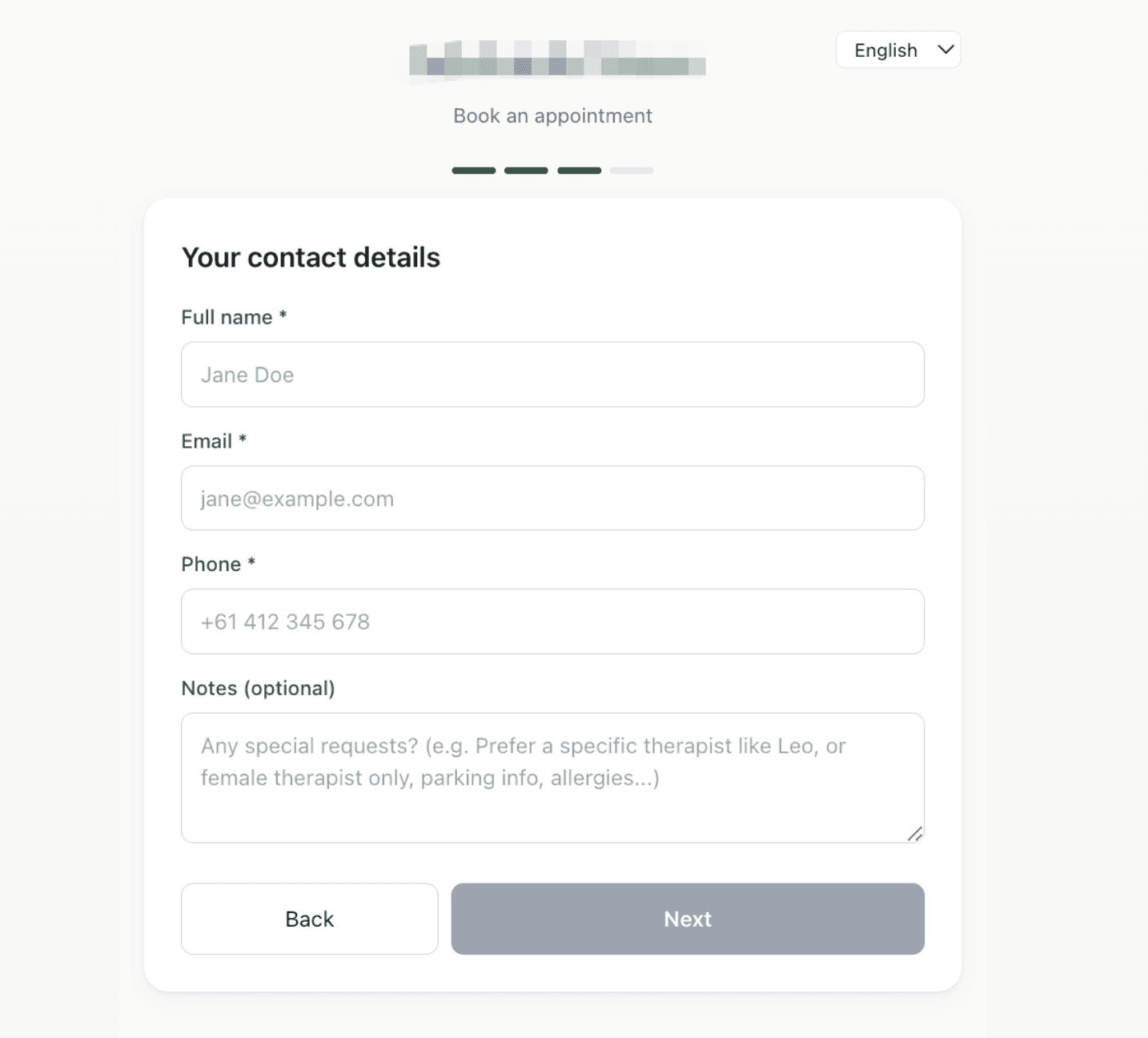
04. Contact details and preferences
Step three takes their number, and that is where the reminder goes — the reminder being the thing that actually reduces cancellations. The notes field carries preferences, like a specific therapist or a female therapist only.
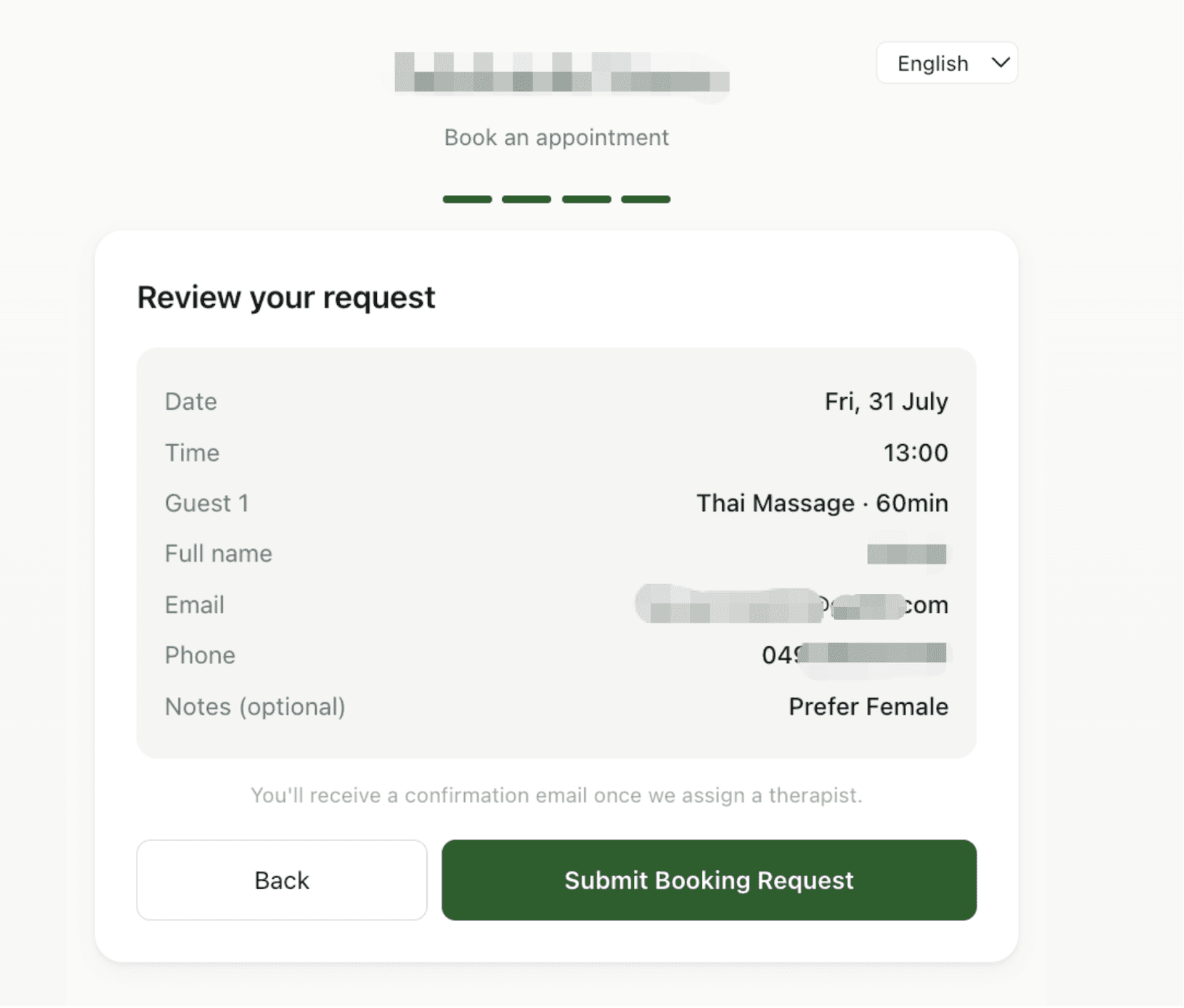
05. It arrives as a request, not a locked slot
The last step is a check and a submit. What comes through is a booking request rather than a confirmed slot: you still approve it on the dashboard, so nobody fills your whole day at 2am.